
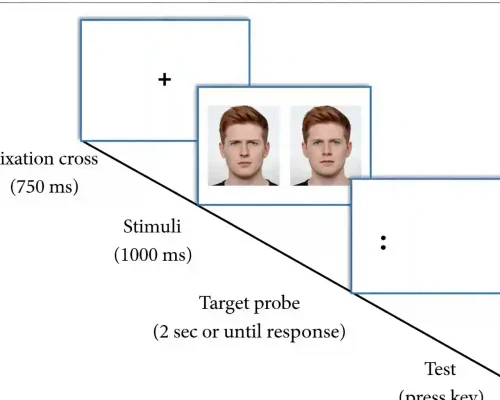
Eye tracking is a valuable tool in psychology because it shows what captures attention, and how visual information is processed. It supports research on perception, emotion, decision-making, and social behavior in a direct, non-invasive way.
Eye Tracking Research Software
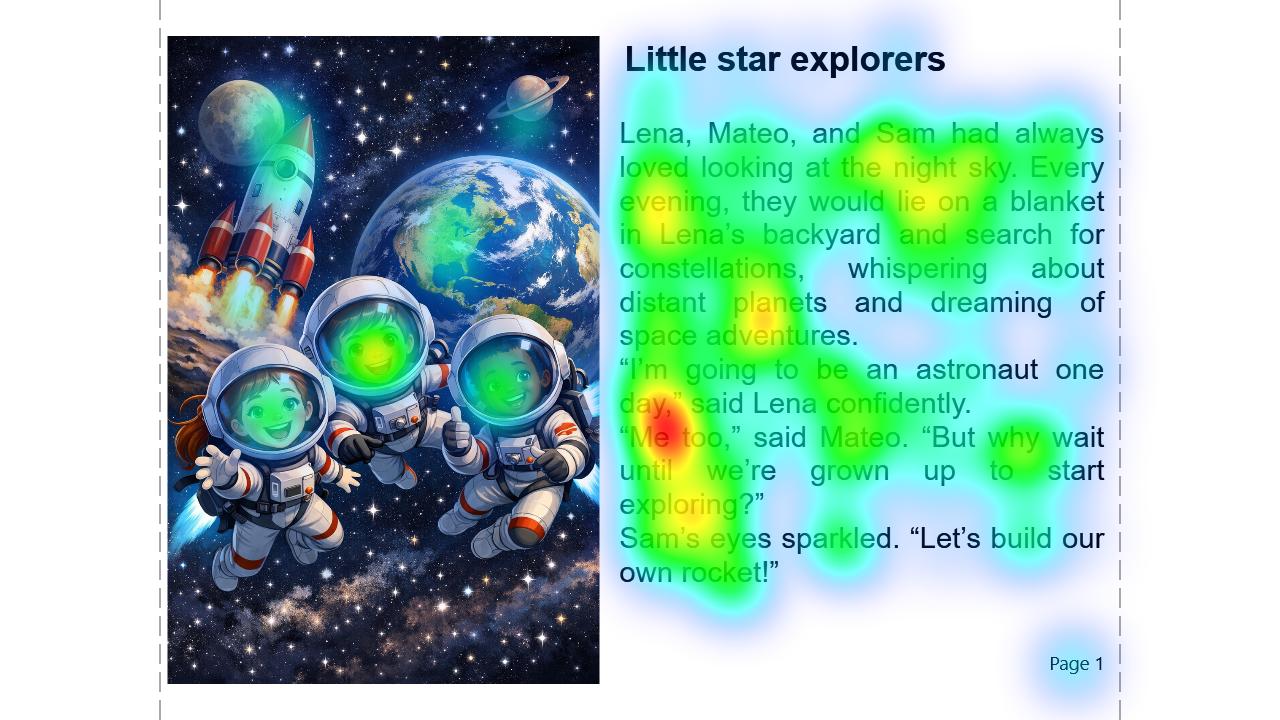
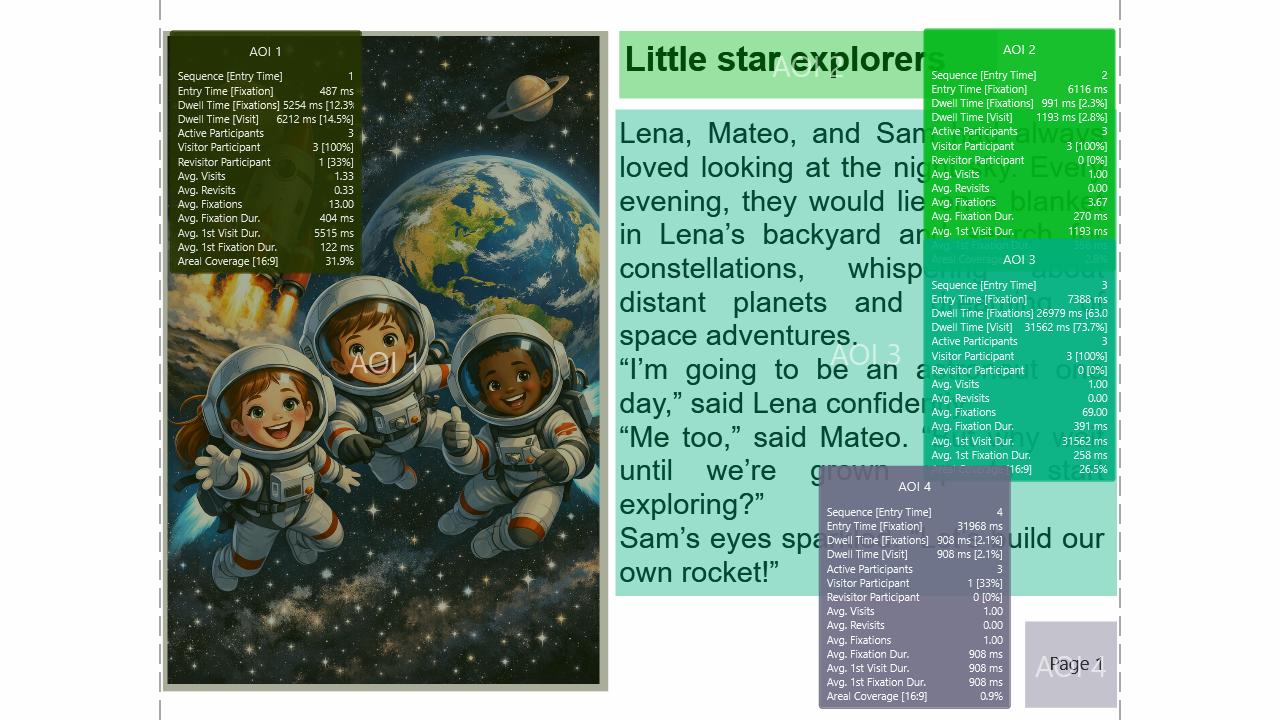
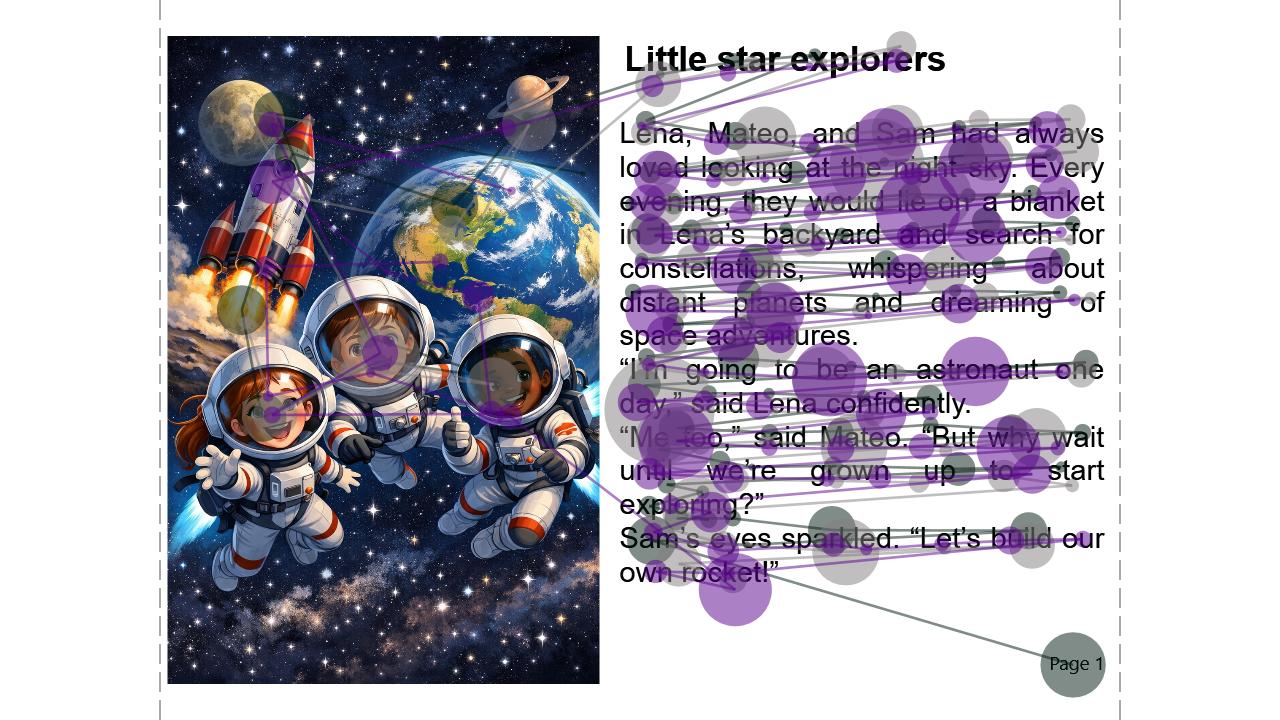
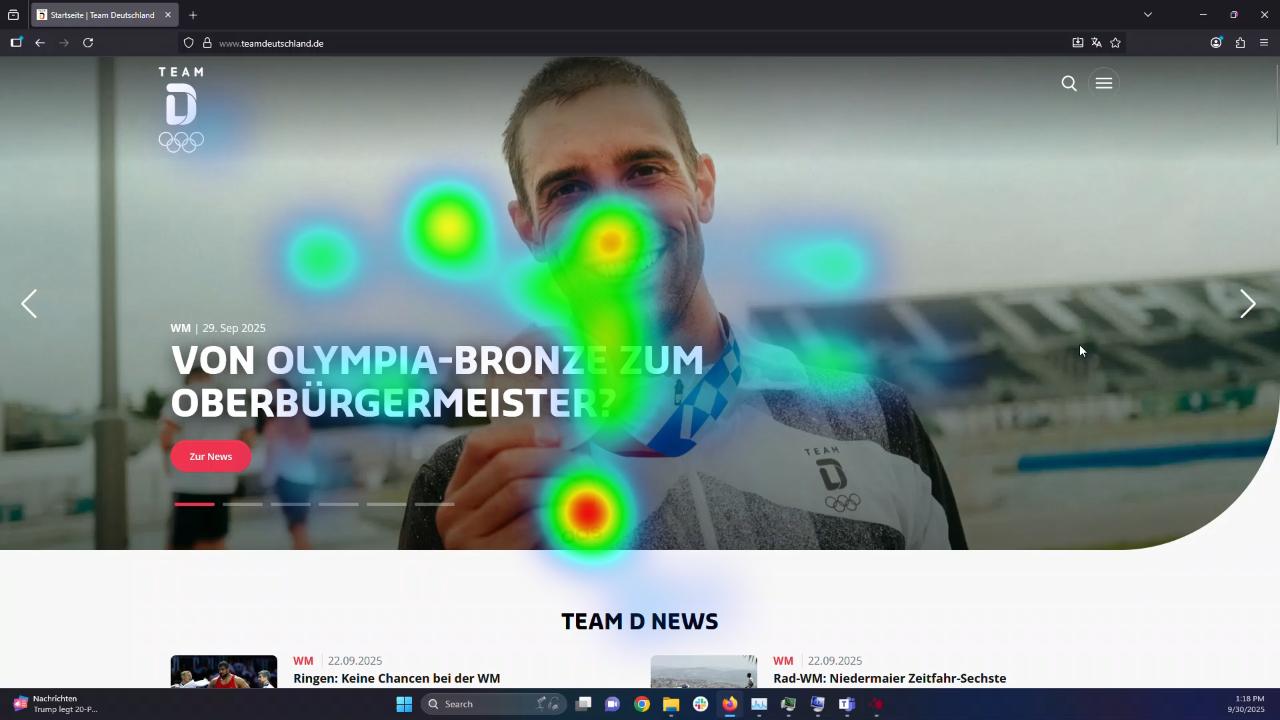
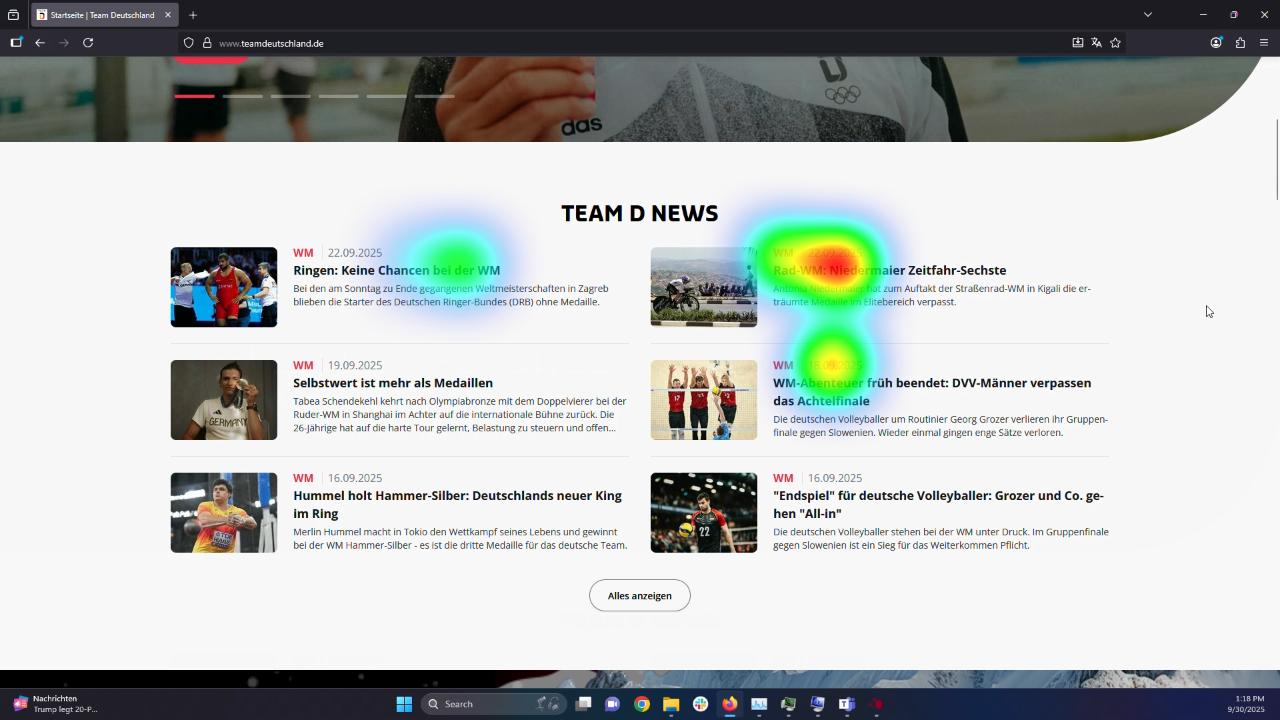
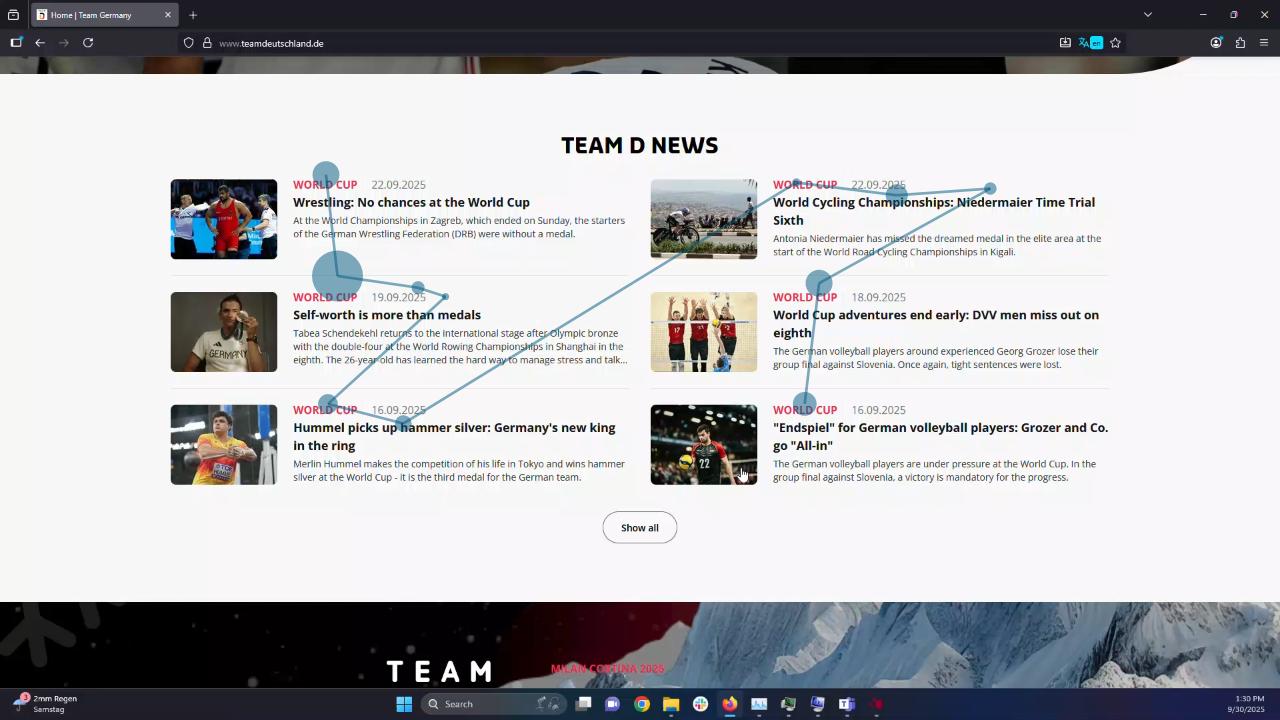
InsightLab is a comprehensive eye tracking research software for diverse behavioral research
InsightLab is a dedicated eye tracking research software platform for designing, recording, and analyzing screen-based studies. Built for psychology, neuroscience, linguistics, consumer research, UX, and human-machine interaction, it helps researchers collect precise gaze data, analyze visual attention, and generate reliable, reproducible results.
InsightLab supports the complete eye-tracking research workflow, from experimental design and data collection to visualization, metric extraction, AOI analysis, and exportable research results. Researchers can create screen-based studies, present static and dynamic stimuli, record precise gaze behavior, and analyze fixations, saccades, heatmaps, scanpaths, and Areas of Interest within one validated software environment.
Evaluate our eye tracking solution with a 4-week free trial.
Researchers based in the European Union are welcome to contact us.
The evaluation package includes the Lite 120 eye tracking hardware and InsightLab experimental and analysis software, providing your
team with full access to our complete, research-grade solution. Simply fill out the form and tell us about your research focus to get started.
Eye Tracking Research Software for Scientific Studies
InsightLab is designed for researchers who need a reliable software environment for screen-based eye-tracking studies. It supports experimental workflows in psychology, neuroscience, linguistics, reading research, developmental psychology, usability research, and consumer research. By combining study design, synchronized recording, gaze visualization, AOI statistics, and flexible data export, InsightLab helps research teams turn raw eye-tracking data into meaningful scientific insights.

Advanced Features for Eye Tracking Research
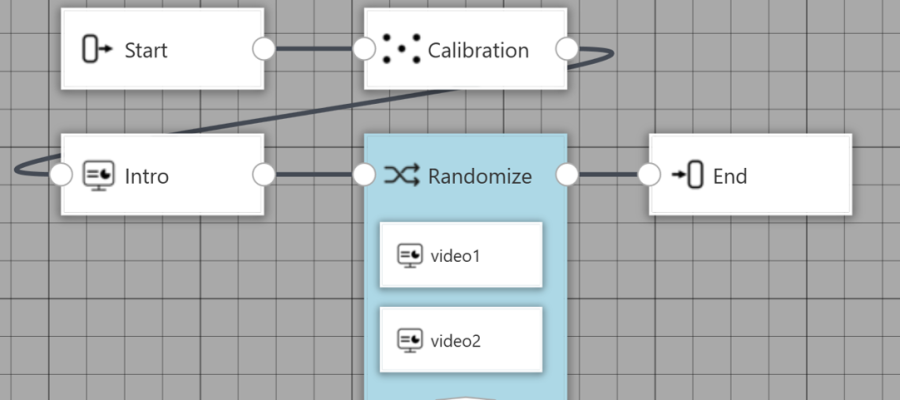
Node-Based experimental designer for Research Workflows
A powerful yet easy-to-use tool for creating and managing experiments and stimuli. Its intuitive interface makes setup simple and clear to design and customize experiments, even without technical expertise. Every step is structured and easy to understand, so you can focus on your research instead of complex software.
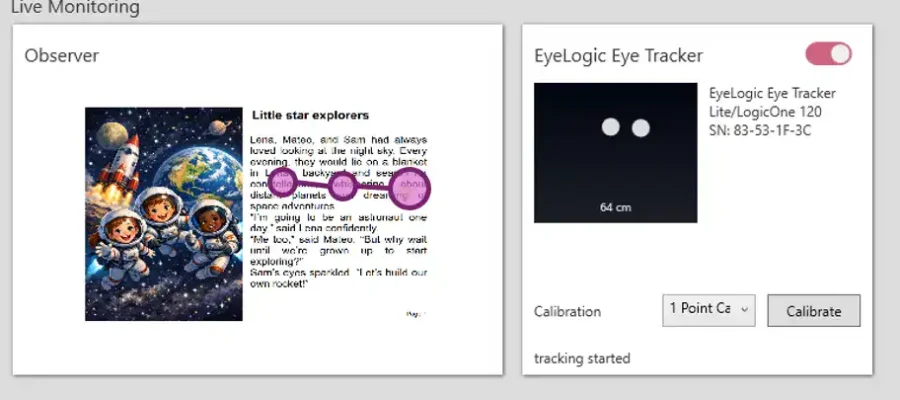
Live Observation during Eye Tracking Studies
Live observation of the participant’s behavior during recording is essential to comment, annotate in real time, and intervene immediately if necessary. It enables deeper understanding and better data quality. InsightLab live observation is simple to set up and to manage – making high-quality insights accessible and efficient.
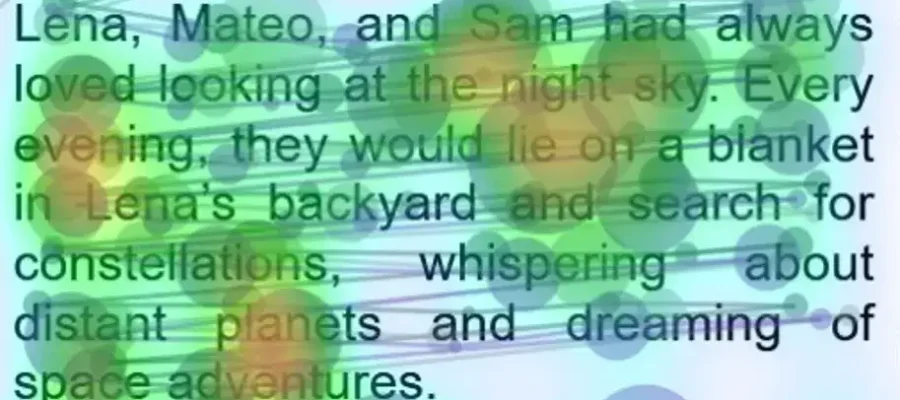
Eye Tracking Visualization and Research Metrics
InsightLab uses state-of-the-art, scientifically evaluated research methodologies to ensure precise visualization and accurate AOI computation. By combining validated analytical frameworks with advanced technology, it delivers reliable, transparent results that meet the highest academic and industry standards.
Optimized for our Eye Tracking hardware
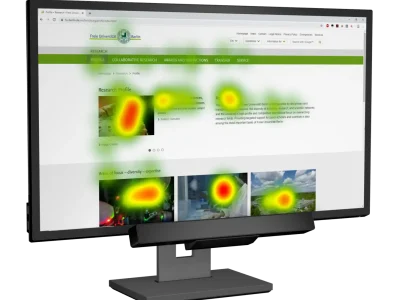
LogicOne
Research-grade 250 Hz eye tracker for fixation and saccade analysis. Captures rapid eye movements and gaze dynamics. Non-intrusive screen-based setup with reliable data quality for psychology and neuroscience research.
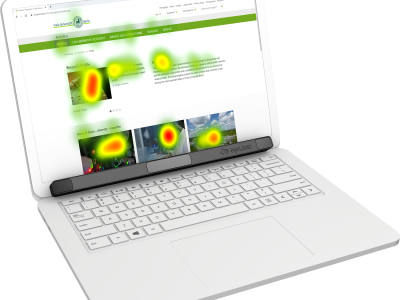
Lite
Portable research-grade screen-based eye tracker for lab or field use, with sampling rates up to 120 Hz. Compact, lightweight, and easy to set up, it delivers reliable visual behavior data even on laptops — ideal for flexible, efficient lab or mobile research.
InsightLab Features
| Software Suite | All-in-one experiment software, containing: Experiment Designer, Data Collection and Data Analysis |
|---|---|
| Technology | Optimized for screen-based eye tracking research |
| Input Sensors | Compatible with all EyeLogic sensors, i.e. LogicOne and Lite |
| Additional Input Sensors | Input from keyboard and mouse are recorded and synchronized |
| Data format | Stored in dedicated project files and can be exported into various formats (i.e. csv, xlsx, png, mp4) |
| Design Interface | Intuitive editor for an efficient experimental design process |
|---|---|
| Stimulus Slides | Customizable stimulus slides by placing stimulus components via drag-n-drop |
| Stimulus Elements | Broad range of elements, such as: images, videos, text, questionnaires, screen recording |
| Experiment Workflow | Fully customizable experiment workflow, using a graph-based editor for intuitive experiment design |
| Version Control | Full control over design history and stimulus versions |
| Preparation | Easy to set up data recording using live sensor previews, with seamless support for multi-monitor setups |
|---|---|
| Dry Run | Available for a test-run of the experiment without data recording |
| Participant Properties | Tag recordings with custom participant-specific data (e.g. age, gender, etc.) for later filtering |
| Real-time Feedback | Instant visual feedback on participant’s eye tracking behavior during the recording |
| Annotations | Possibilities for annotations during recording |
| Synchronization | Accurate time synchronization between the presented stimuli and the sensor input |
| Analysis | Powerful tool which visualizes data in various contexts |
|---|---|
| Data Visualization | Powerful and fast aggregated visualizations, like: scan path, heat map, raw pathall for individual subjects and custom groups |
| AOI Statistics | Available AOIs on all stimuli elements: Rectangular, Circular/Ellipsoidal, custom shaped |
| Time Control | Show results either overall, at a specific time point in your experiment or for a custom time span |
| Playback | Interactively playback your experiment and overlay analysis results |
| Filter | Filter recordings based on tags, subject data or by manual input |
| Export | Export static images, videos or statistics with visual overlays or data formats |
| Data Control | Full control over all data, recordings and analysis results |
|---|---|
| Exported data | Raw gaze data, fixations, saccades, pre-calculated metrics, analysis diagrams with overlay, analysis videos with overlay |
| Export format | Numerical files (csv, xlsx) Video/Image file (mp4, png) |
| Min. Requirements | Intel core i5 CPU or comparable, 8 GB RAM, Microsoft Windows 10 or 11 |
|---|---|
| Recommended Requirements | Intel core i7 CPU or comparable, 16 GB RAM, Microsoft Windows 11 |
- General
- Stimulus Designer
- Data Collection
- Analysis
- Data Export
- System Requirements
| Software Suite | All-in-one eye tracking research software suite including experiment design, data collection, gaze analysis, metrics extraction and research data export |
|---|---|
| Technology | Optimized for screen-based eye tracking research |
| Input Sensors | Compatible with all EyeLogic sensors, i.e. LogicOne and Lite |
| Additional Input Sensors | Input from keyboard and mouse are recorded and synchronized |
| Data format | Stored in dedicated project files and can be exported into various formats (i.e. csv, xlsx, png, mp4) |
| Design Interface | Intuitive editor for an efficient experimental design process |
|---|---|
| Stimulus Slides | Customizable stimulus slides by placing stimulus components via drag-n-drop |
| Stimulus Elements | Broad range of elements, such as: images, videos, text, questionnaires, screen recording |
| Experiment Workflow | Fully customizable experiment workflow, using a graph-based editor for intuitive experiment design |
| Version Control | Full control over design history and stimulus versions |
| Preparation | Easy to set up data recording using live sensor previews, with seamless support for multi-monitor setups |
|---|---|
| Dry Run | Available for a test-run of the experiment without data recording |
| Participant Properties | Tag recordings with custom participant-specific data (e.g. age, gender, etc.) for test and control groups |
| Real-time Feedback | Instant visual feedback on participant’s eye tracking behavior during the recording |
| Annotations | Possibilities for annotations during recording |
| Synchronization | Accurate time synchronization between the presented stimuli and the eye tracking device |
| Analysis | Powerful tool which visualizes gaze data in various contexts |
|---|---|
| Data Visualization | Powerful and fast aggregated visualizations, like: scan path, heat map, raw pathall for individual subjects and custom groups |
| AOI Statistics | Available AOIs on all stimuli elements: Rectangular, Circular/Ellipsoidal, custom shaped |
| Time Control | Show results either overall, at a specific time point in your experiment or for a custom time span |
| Playback | Interactively playback your experiment and overlay analysis results |
| Filter | Filter eye tracking recordings based on tags, subject data or by manual input |
| Export | Export static images, videos or statistics with visual overlays or data formats |
| Data Control | Full control over all data, recordings and analysis results |
|---|---|
| Exported data | Raw gaze data, fixations, saccades, pre-calculated metrics, analysis diagrams with overlay, analysis videos with overlay |
| Export format | Numerical files (csv, xlsx) Video/Image file (mp4, png) |
| Min. Requirements | Intel core i5 CPU or comparable, 8 GB RAM, Microsoft Windows 10 or 11 |
|---|---|
| Recommended Requirements | Intel core i7 CPU or comparable, 16 GB RAM, Microsoft Windows 11 |
Eye Tracking Research Applications and Use Cases
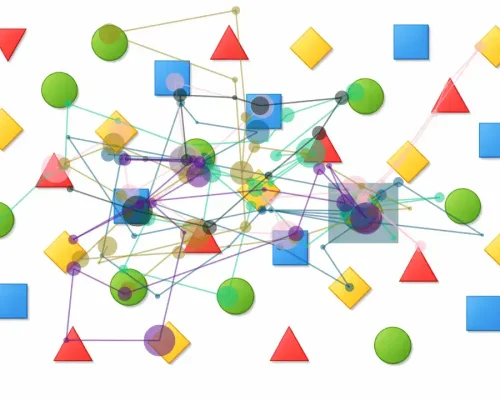
Neuroscience Research
Eye tracking is a powerful tool in neuroscience because it offers a non-invasive measure of visual attention, and information processing. With high temporal precision, it supports research on perception, cognition, and brain–behavior relationships.
Psychology Research
Reading and Language Research
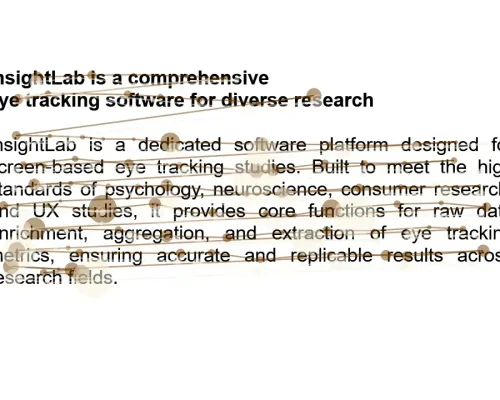
Eye tracking is highly valuable in reading and language research because it reveals how readers move through text. By measuring fixations, saccades, and regressions, it helps study word recognition, sentence processing, fluency, comprehension, and cognitive effort.
Developmental Psychology Research
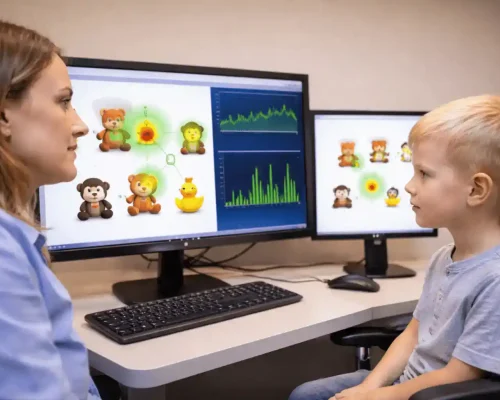
Eye tracking is highly valuable in developmental psychology because it enables non-invasive study of attention, and perception. It is especially useful with infants and children, providing objective behavioral data without verbal responses.
Market and Consumer Research
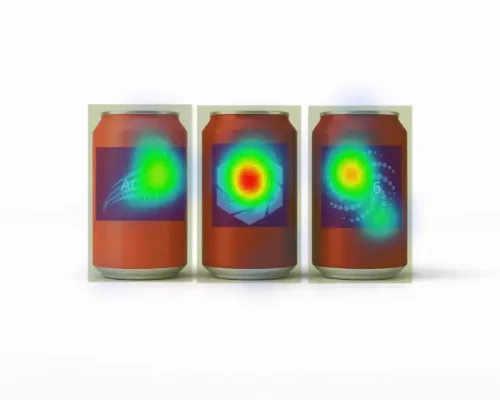
Eye tracking is a standard tool in market research because it shows what captures consumer attention and how visual content is processed. It helps evaluate packaging, ads, and websites, enabling data-driven design decisions to improve engagement.
UX and Usability Research
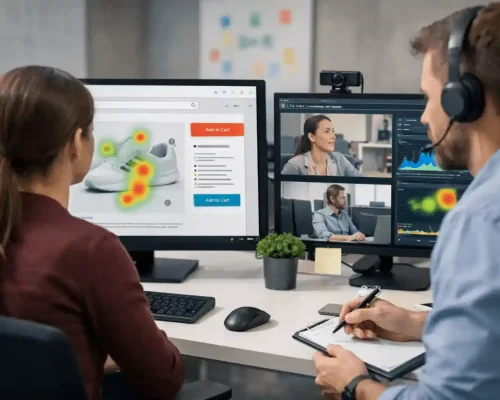
Eye tracking is highly valuable in usability research because it reveals what attracts attention, and where confusion occurs. By showing gaze patterns and missed elements, it helps evaluate interfaces objectively and improve navigation, and user experience.
Contact us
Based in Berlin, Germany, we support customers worldwide through our headquarters and a global network of trusted partners. Where available, we’ll connect you with a local distributor for dedicated support and guidance.
Whether you have questions about our hardware and software eye-tracking solutions, want to explore our technical capabilities, or need guidance for your next study, our product specialists are here to help. Request a virtual demo of our platform to get a tailored overview based on your research interests and needs. We’ll also help you select the right solutions and hardware configuration for academic or collaborative research projects.
Contact us via the form, by email, or by phone, and one of our experts will get back to you shortly.
*required information
Freqently asked questions
For additional information, send us a contact request.
Eye tracking research software helps researchers design studies, record gaze data, analyze eye movements, and extract metrics such as fixations, saccades, pupil dilation, dwell time, heatmaps, scanpaths, and AOI statistics.
Yes. InsightLab is designed for screen-based scientific research in psychology, neuroscience, linguistics, reading research, developmental psychology, UX, and consumer research. It supports experiment design, data collection, visualization, analysis, and exportable research results.
InsightLab supports gaze position, fixation duration, saccades, pupil size and dilation, scanpaths, heatmaps, AOI statistics, dwell time, fixation count, visit count, revisits, and time-based analysis.
Yes. InsightLab can export raw gaze data, fixations, saccades, pre-calculated metrics, AOI statistics, images, and videos in common formats such as CSV, XLSX, PNG, and MP4.
When using InsightLab eye tracking research software, a variety of biometric data is recorded to provide detailed insights into visual behavior. This includes gaze position, pupil size and dilation, fixation duration and saccades. Collecting these data points allows for comprehensive analysis of focus and attention, cognitive load, and emotional responses during experiments.
InsightLab computes essential metrics for Areas of Interest (AOIs) to facilitate detailed eye tracking analysis. These include fixation count, dwell time, first fixation duration, and time to first fixation. Additionally, the software measures visit count and revisits, providing insights into visual attention patterns and user behavior during experimental tasks.
InsightLab supports a broad range of stimulus elements across multiple slides, precisely synchronized to accommodate diverse experimental designs. It can present static images, dynamic videos, text, and various types of questions. Additionally, InsightLab can record the participant’s screen while they interact with any software. These capabilities facilitate the creation of complex visual scenes and interactive elements, enabling researchers to design customized and engaging stimuli tailored to their specific study requirements.
InsightLab offers versatile export capabilities to support your eye tracking data analysis and reporting needs. It allows you to export raw eye tracking data as well as processed AOI statistics in common formats such as CSV and Excel, making it easy to integrate with statistical software or further analyze in spreadsheets. Additionally, InsightLab can export visualizations like heatmaps and gaze plots in image and video formats for presentations and reports. This flexibility ensures you can efficiently share and utilize your eye tracking results across different platforms and workflows.